.svg)

A bare paddock, a pipeline corridor or an exploration lease has nothing to plug a camera into. There's no grid, often no mobile signal, and nobody around once the crew drives out. Working out how to secure a remote site with no power comes down to four decisions made in the right order: the solar unit, the battery autonomy, the link that carries alerts off site, and the person who acts on them.
This guide takes you from the first site walk to the week-one checks. For the wider picture across industries, see our guide to remote site security.
Here's how to secure a remote site with no power: use solar-powered camera towers or trailers that carry their own panels, battery and cameras. Size the battery for your site's worst winter month and the full load, modem included. Send alerts over 4G where the signal is strong at the camera, or Starlink where it isn't, and have a monitored control room verify alarms and respond.
Each decision changes the next one, so the order matters:
The signal test decides the connection, and the connection changes the power budget. Settle both before the truck leaves the depot.
Start with what a thief wants. On remote jobs that's usually diesel, copper cable, tools and parked plant. Mark each on a site plan, then add the access tracks and gates a vehicle can use. Coverage goes where the value and the vehicle access meet, not evenly along a fence that may run for kilometres.
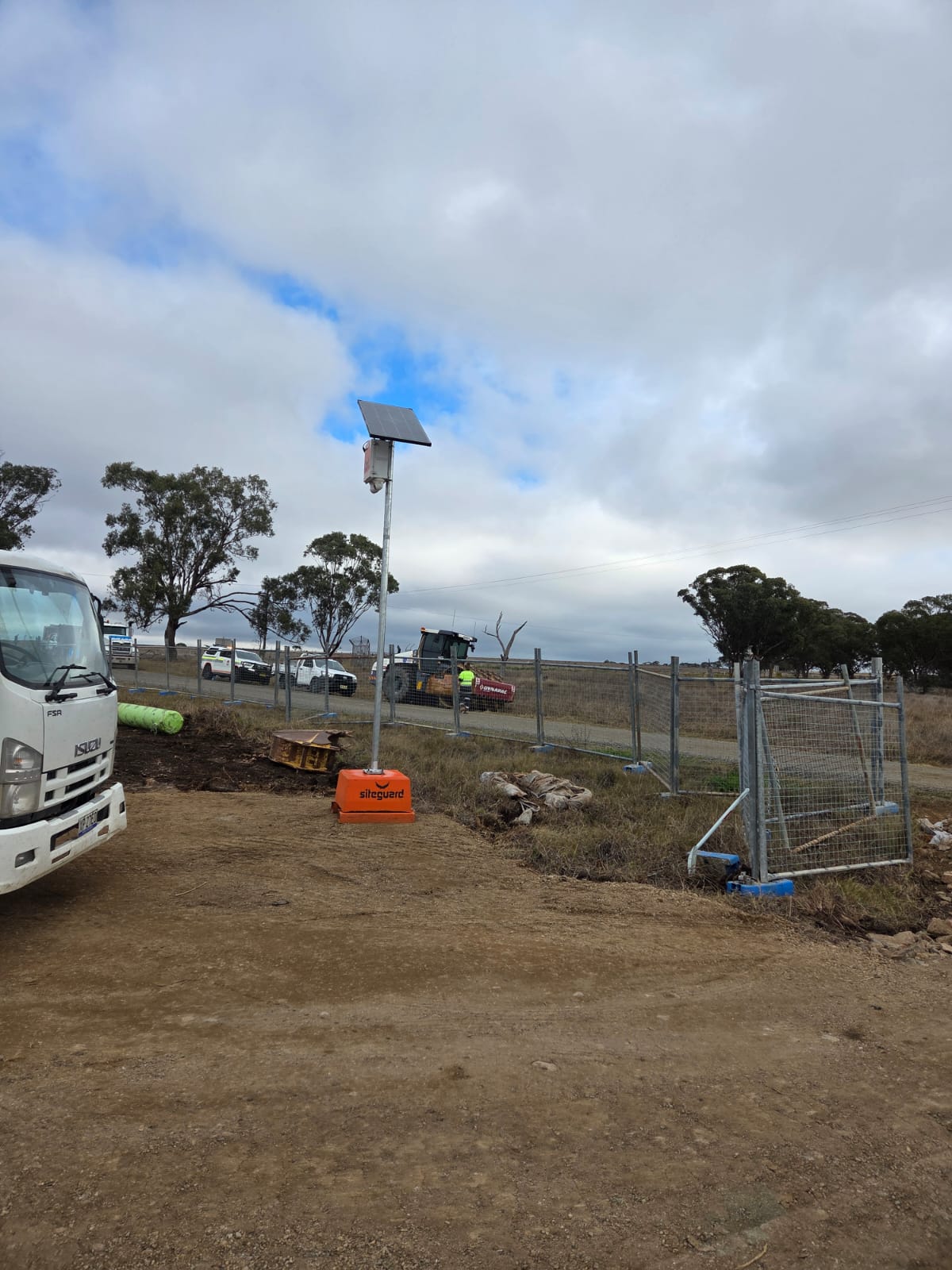
Next, stand where each unit will go and check three things: mobile signal at that exact spot, a clear northern aspect for the panels, and level ground a tower base or trailer can reach. A federal ministerial release describes around 70 per cent of Australia's land mass as a mobile black spot that towers can't fix, so on plenty of remote jobs the test simply confirms you need satellite.
A solar security camera system puts panels, battery, cameras and modem on one engineered base, so nothing needs trenching or cabling. That's what makes off-grid site security practical from day one.
Towers suit fixed positions such as a gate, laydown or fuel store for the life of the job, and Siteguard's solar camera towers come in four configurations. Trailers suit work fronts that keep moving. Siteguard's solar CCTV trailers are road-certified and self-contained, with solar power, GPS, UHF radio, 3G/4G and a weather station among their features, plus options such as Starlink and lighting.
| Unit | Listed features | Suits on a remote site |
|---|---|---|
| Single Cam | 4K 8MP, 95° field of view, 30-day storage, siren and audio | A gate, fuel tank or pump |
| Twin Cam | 180° field of view, smart alerts, siren and strobe, battery backup | Laydowns and compounds that need broader cover |
| Pan & Zoom 360° Cam | 360° PTZ, up to 1km zoom, low-light, remote control | Wide open ground and long corridors |
| Starlink Tower | Satellite connectivity, fully engineered and wind rated, vandal-resistant base | Sites with no 3G or 4G coverage |
Four towers. One platform.
Compare the Single Cam, Twin Cam, Pan & Zoom 360° and Custom towers, available to hire or purchase and built for rapid deployment.
See the tower rangeThe panel only produces in daylight, but the cameras, recorder and modem run all night. Every unit lives on a daily energy budget: what the panels bank on a short winter day has to cover what the system draws overnight, with reserve for grey days. Suppliers call that reserve days of autonomy.
The Bureau of Meteorology's average solar exposure maps show exposure falls the further south you go in June, while northern sites lose some to monsoon cloud in summer.
Starlink's Standard kit specification sheet lists average consumption of 75 to 100 W. Run around the clock, a dish like that would use roughly 1.8 to 2.4 kWh a day on its own, before any camera, light or siren is counted.
Lithium iron phosphate (LiFePO4) batteries are a common choice in off-grid camera units because they handle daily cycling and heat well, though they need protection when charging below freezing. Ask for the autonomy figure for your exact configuration in your site's worst month. Our guide to how solar CCTV towers and trailers work covers panels and batteries in more depth.
No power. No signal. No problem.
The Siteguard Starlink Tower pairs solar-ready surveillance with satellite connectivity for sites without 3G or 4G coverage.
See the Starlink TowerCameras record on board, so you keep the footage if the link drops. Siteguard's Single Cam lists 30-day storage. Recording alone, though, means you hear about a break-in days later. The connection is what turns a recorder into live alerts, live view and remote playback.
| Connection | Use it when | Watch for |
|---|---|---|
| 4G modem | The signal is strong at the camera position | Drops at the far fence or as the site changes |
| Starlink | Mobile coverage is weak or missing | Higher power draw, so size the solar and battery for it |
| On-board recording only | Low-risk spots where evidence after the fact is enough | No live alerts and no intervention |
Siteguard's Starlink connectivity integrates with all Siteguard camera systems and the Siteguard Foreman dashboard, supporting live video streaming, remote camera access and real-time alerts where 3G and 4G don't reach. The team handles the full setup, so the site is connected from day one.
Don't wait on satellite-to-phone services. The same ministerial release puts the early focus on emergency contact, with basic data to come later, which is a long way from streaming camera video. For a closer look at the choice, read 4G or Starlink for site cameras.
An alert to a site manager asleep three hours away isn't a response plan. Diesel can be gone in minutes, so the system has to act while the intruder is still inside the fence. That takes active deterrence on the unit and a person behind the alert.
With Control Room Monitoring, Siteguard's Australian-based operators watch your cameras 24/7, weekends and public holidays included. Every alarm is verified by a real operator before action is taken. They issue audio warnings, activate the siren, and escalate to the relevant authorities when required. Our explainer on what happens when a camera detects an intruder walks through that sequence.
Agree the escalation steps before the units go live: who gets called, when police are contacted and who holds the keys. Then set detection zones with care. Sirens and strobes draw from the same battery, so a zone that fires at every passing kangaroo drains the energy budget and teaches everyone to ignore the noise.
"I use it every day to scan my paddocks, my livestock and my trough water levels. Easy to use and always reliable when you need something!" Jim, Farmer, Tamworth
Face the panels north and check for shade at 9am and 3pm, not just at noon. Think ahead to the sheds and stockpiles that will go up later in the job. On dusty sites, add panel cleaning to the weekly walk-around, because grime cuts charging well before anyone notices.
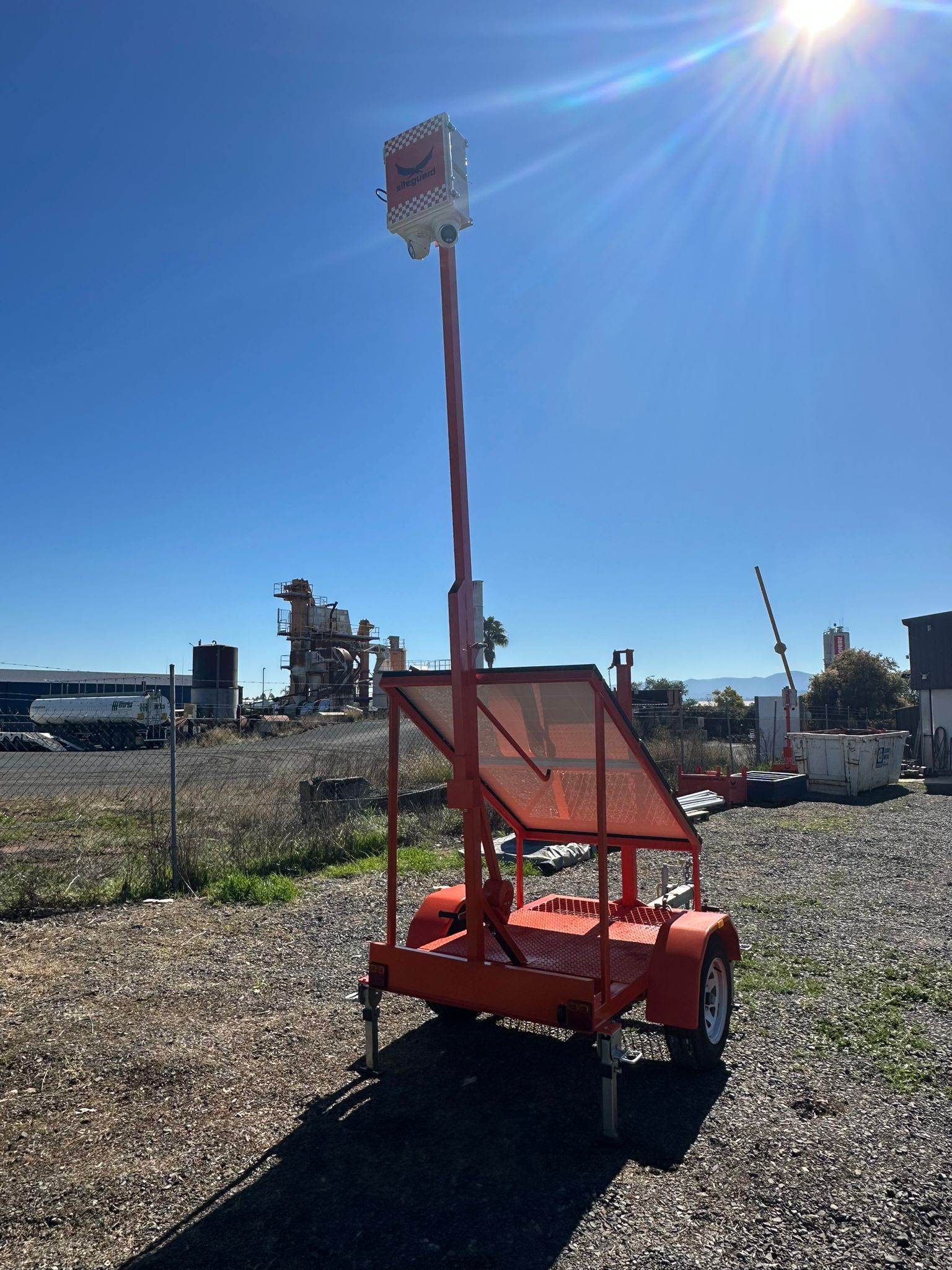
Before you leave site, run through the full sequence, not just the picture:
On linear jobs and exploration programs, schedule unit moves so coverage follows the work front, and retest the signal and shade every time a unit moves. Before you sign off on a quote, ask how a low battery is handled: what powers down first, and who gets told.
Yes. Solar-powered camera towers and trailers carry their own panels, battery and cameras, so they run with no mains power or cabling. They record on board and, with a 4G or Starlink connection, send live view and alerts to your phone, a dashboard or a control room.
It depends on battery capacity, the cameras and connectivity on the unit, and how often the deterrents fire. Suppliers quote this as days of autonomy. Ask for the figure for your exact configuration in your site's worst winter month, not a best-case average.
Only if the mobile signal is weak or missing where the unit stands. 4G works where the signal is genuinely strong at the camera position, and it uses less power. Where it isn't, Starlink keeps live view and alerts working, but the solar and battery must be sized for the dish.
Yes. Footage records to storage on the unit, so a dropout doesn't stop recording. Live view and alerts resume when the connection returns.
Yes. Solar units don't wait for mains power or a network, so they can protect a site from day one, when materials are arriving and fences are half up.