.svg)

It's 2am on a Sunday. Someone cuts through the temporary fence behind your laydown area and walks toward the tool container. On a recording-only system, you find out on Monday. On a monitored system, a chain of events starts while they're still inside the fence.
This guide explains what happens when monitored cameras detect an intruder, one step at a time: AI detection, an operator's check, the siren and strobe, the alert to your phone, and the call to police. It also covers the types of monitoring on offer, where guards and patrols fit, what drives the cost, and how to set a site up so the chain holds together.
What happens when monitored cameras detect an intruder? AI on the camera flags a person or vehicle in an armed zone and sends the event to a control room. An operator checks the live footage, sets off the siren, strobe and audio warnings if the threat is real, alerts the site contact, and escalates to police while the intruder is still on site.
Every monitored site runs the same basic sequence. The hardware and the people change from provider to provider, but the order doesn't. Each step hands off to the next, and a gap anywhere gives the intruder more time.
| Step | What happens | Who does it |
|---|---|---|
| 1. Detection | Camera analytics spot a person or vehicle in an armed zone, or crossing a line, during armed hours | The camera and its AI |
| 2. Verification | An operator checks the live view and the trigger clip and decides whether the threat is real | Control room operator |
| 3. Deterrence | Siren, strobe and an audio warning tell the intruder they've been seen | Operator, through the tower |
| 4. Notification | The site contact gets an alert describing the event, with a screenshot | The alerting system |
| 5. Escalation | If the intruder stays or a crime is under way, the operator calls police | Control room operator |
Steps 3, 4 and 5 often overlap. An operator can be warning the intruder over the speaker while the alert is already on your phone and the police call is being made. The rest of this guide takes each step in turn, then looks at the choices you make before any of it happens.
Detection is where most false alarms start, and where most of them can be stopped. Older systems used plain motion detection: any change in the picture triggers an event. On a construction site at night that means swaying shade cloth, headlights on the road, rain, possums and the odd kangaroo, all treated the same as a person with bolt cutters.
Modern site cameras use AI classification to tell people and vehicles apart from everything else. Siteguard's units use person and vehicle detection rather than plain motion, and detection zones are managed from Siteguard Foreman, so only the areas nobody should be in after hours are armed. For more on the analytics themselves, see how AI detection works on a CCTV tower.
Two set-ups do most of the work on a site:
Schedules matter as much as zones. A zone armed at 5pm when trades work until 6:30 will flood the control room with your own crew. Match the armed hours to the site's real knock-off, and change them when the program changes.

The hardware sets the limits. On Siteguard's solar camera towers, the Twin Cam covers 180° with smart alerts, the Single Cam gives a 4K 8MP view across 95° for a single gate or asset, and the Pan & Zoom 360° Cam can be steered remotely with zoom up to 1km to check a figure at the far fence.
Match the camera to the zone
Single Cam for a gate, Twin Cam for a perimeter, Pan & Zoom for open ground. See which tower suits each part of your site.
See the tower rangeOnce an event fires, a monitored system puts it in front of a person. This is the step that separates monitoring from a camera that sends alerts to a phone nobody looks at after midnight.
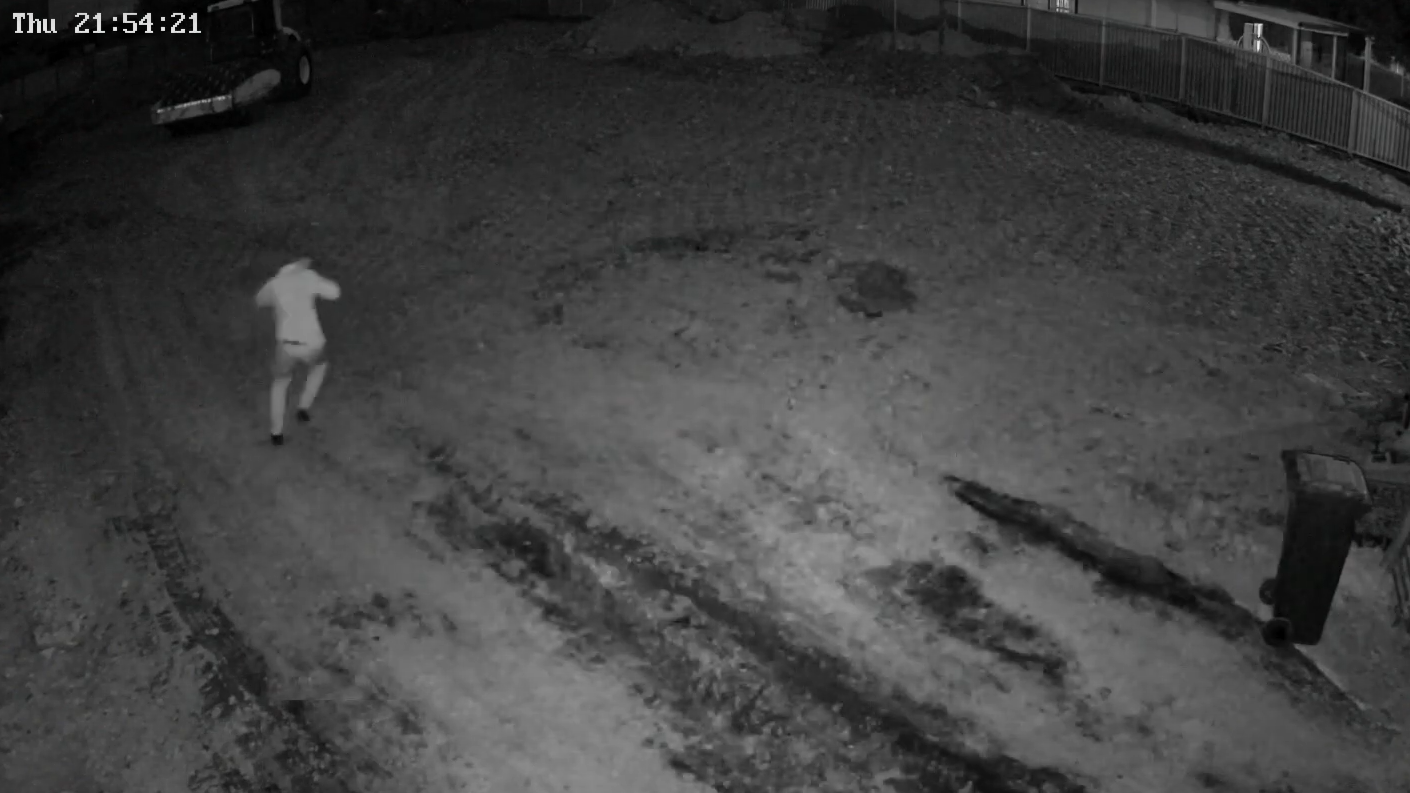
With Siteguard's 24/7 control room monitoring, every alarm is verified by a real operator in an Australian-based control room before any action is taken. The operator looks at the live view and the clip that triggered the event and makes a call: a worker who came back for their phone, a kangaroo on the haul road, or someone who has no business being there. That cover runs on weekends and public holidays too, which is when most sites sit empty.
Verification does two jobs. It stops false alarm fatigue, the point where site managers mute alerts because most of them are nothing. And it means that when police get a call, it's about a confirmed person on site, with a live description, not an unexplained alarm.
The operator can only be as good as the information they have. Give the control room a current call list, the site's working hours and any expected after-hours visitors, such as a 4am concrete pour or a security contractor doing a lock-up check. An operator who knows a truck is due won't treat it as a break-in.
Once the operator confirms a threat, the aim is to make the intruder leave before anything leaves with them. Most people who climb a site fence are counting on not being seen. A siren and a flashing strobe on a tower above them changes that fast.
Siteguard's operators issue audio warnings and activate the siren to deter intruders before damage occurs. A live voice carries more weight than a recorded tone because it's specific: "You by the container in the grey hoodie, you're on camera and police are being called." When a voice beats a siren, and when it doesn't, is covered in two-way audio on security camera towers.
Light does part of the job too. White deterrence lighting and strobes make a person feel exposed and give the cameras a cleaner image to work with. For how the options compare, see sirens, strobes and lights on CCTV towers.
Deterrence works best early. A tower near the boundary that reacts as someone reaches the fence gives them a reason to turn around before the tool container, not after it's open. For the wider set of measures, see how to prevent theft on a construction site.
"Last Christmas we had 21 break-ins into our construction site. We installed a Siteguard system on site and this Christmas we only had 1 attempted break-in. It has even saved us the cost of paying for security guards." Kevin, Senior PM, Hines Constructions Pty Ltd
While the operator deals with the intruder, the site contact hears about it. Siteguard's alerting system texts you a clear description of each event with a screenshot, so you know what's happening without opening an app or scrubbing through footage. What goes into one of those messages, and who should get it, is covered in how SMS alerts with screenshots work.
Decide in advance who receives alerts and what they're expected to do. A project manager who gets a text at 2am mostly needs to know the operator has it in hand. The person who has to meet police at the gate, or let a glazier in to board up a smashed window, needs to be on the list as well, with a backup name behind them.
The same events land in Siteguard Foreman, the browser-based dashboard that holds every camera, alert and recording across your sites. Its event linkage sets what happens when an event triggers: siren, strobe, relay outputs, push alerts, or all of them. Playback runs in the browser without downloading files, and the next morning you can ask Foreman "What happened on site last night?" instead of scrolling through hours of video.
Cameras record. Operators respond.
See how Siteguard's Australian-based control room verifies each alarm, warns intruders off and escalates to police, including weekends and public holidays.
How monitoring worksIf the intruder ignores the warnings, or the operator can see a crime under way, the next step is escalation. Siteguard's control room escalates directly to the relevant authorities when it's required.
The timing of that call matters. Victoria Police, for example, asks people to call Triple Zero (000) to report a crime in progress or when the offender is still on site, and to use the Police Assistance Line (131 444) or online reporting once the offender has gone. A monitored site has an advantage here, because the operator can see whether the person is still there.
Whether police attend, and how fast, is their decision and depends on what else is happening that night. No camera company controls it, so be wary of anyone who promises a police response time. What the control room can do is give police a clear picture: how many people, where on site, what they're carrying and which way they left.
After the event, footage is evidence. Keep the clips, the alert log and any plate captures together. On sites with a gate camera, number plate recognition reads and time-stamps every vehicle in and out, which can matter more to an investigation than a shot of a hooded figure at 30 metres.
"Monitored" covers several different services, and they don't respond the same way. Know which one is on the quote before you compare prices or coverage.
| Type | How it works | Suits | Trade-off |
|---|---|---|---|
| Self-monitoring | Alerts go to your phone and you decide what to do | Small sites, daytime checks, overnight review | Someone has to answer at 2am, every night |
| Back-to-base alarm monitoring | An alarm panel signals a monitoring centre, which works through a call list or sends a patrol | Buildings with a permanent alarm and mains power | The centre often can't see the site, so it acts on a signal, not a picture |
| Live video monitoring | Operators watch the camera feed, verify, warn the intruder and escalate | Open construction, civil and remote sites | An ongoing fee, and it relies on good zones and connectivity |
| Virtual guarding | Operators run scheduled camera checks as well as responding to alarms | High-risk periods and sites that would otherwise need a guard | Costs more than alarm response alone; still nobody on site physically |
Back-to-base is the one most people know from home and shop alarms. It's a good fit for a building with doors, windows and power. The comparison with camera monitoring is covered in back-to-base alarm monitoring and how it differs from monitored site cameras.
Virtual guarding sits at the top end. Operators don't just wait for alarms; they look in on the site at set times, the way a guard walks a route. Our guide to virtual security guards for construction sites explains how it compares with a guard on site.
If your site is an open block with a fence, no building and no mains power, an alarm panel quote is the wrong quote. You need cameras that can be watched.
Cameras and operators don't replace every job a guard does. A guard can check that a door is locked, meet a delivery at 5am, manage a crowd at an event and give evidence in person. Some contracts and insurers still ask for a guard on site during set periods.
The catch is cost at the hours sites need cover. Under the Security Services Industry Award pay guide, a full-time level 1 security officer's minimum rate from 1 July 2026 is $28.42 an hour for ordinary hours, rising to $56.84 on a Sunday and $71.05 on a public holiday. A casual officer starts at $35.53 an hour. Those are award minimums, before the security company adds its own costs and margin.
That's why many sites run monitored cameras as the baseline and bring people in only when the cameras show they're needed. A mobile patrol sent to a verified event does more than one that drives past on a fixed timetable. See security cameras vs security guards on construction sites for the side-by-side, and combining CCTV with mobile patrols for how a hybrid setup works. Guards are also one of the six layers in our guide on how to secure a construction site.
There's no single price, and any figure given without seeing your site is a guess. The cost of monitored site security comes down to a handful of cost drivers:
Two questions come up most often. For guard pricing, see how much a construction site security guard costs. For the monitoring fee itself, see what site camera monitoring costs per month. The hardware side is covered in what it costs to hire a site security camera, and the full range is on the site security camera hire page.
Compare like with like. A low monthly fee for alert-only monitoring isn't the same product as an operator who verifies, warns and calls police. Ask each provider to describe in writing what happens at steps 2, 3 and 5, and weigh that against the cost of one unchecked break-in: stolen tools, an insurance excess, re-ordering and a crew standing around.
The five steps only work if the site is set up for them. When monitoring lets a site down, the cause is far more often the setup than the operator. Work through this list before the first night:
Power is part of the chain too. On a solar unit, the siren, strobe and lights draw from the same battery as the cameras and modem, so a tower that flashes at every passing kangaroo runs its reserve down. That balance is explained in how solar CCTV towers and trailers work. For sites with nothing on them at all, see securing a remote site with no power, internet or people.
Surveillance and privacy rules differ between states and territories, and recording audio is more restricted than video in several of them. Signage telling people the site is under camera surveillance is common practice. Check the rules for the state your site is in.
Before you sign, get straight answers to these. A provider that can't walk you through the response chain step by step is selling cameras, not monitoring.
Write the answers down and keep them with the contract. When something goes wrong at 3am, you'll want to know what was promised at each handover point, not what you remember from the sales call.
The camera's analytics flag a person or vehicle in an armed zone and send the event to a control room. An operator checks the footage, sets off the siren, strobe and audio warnings if the threat is real, alerts the site contact, and escalates to police if the intruder stays or a crime is under way.
The operator does, when it's required. Victoria Police, for example, asks people to call Triple Zero (000) to report a crime in progress and to use the Police Assistance Line or online reporting once the offender has left. Whether police attend, and how quickly, is their decision.
Through AI that tells people and vehicles apart from animals, weather and moving shadows, detection zones drawn around areas nobody should be in, armed hours that match the site's real knock-off, and an operator who verifies each alarm before acting.
For overnight and weekend cover it usually is, because guards are paid by the hour with penalty rates on Sundays and public holidays, while monitoring is an ongoing fee for the whole site. Many sites use monitored cameras as the baseline and book guards or patrols for specific risks.
Back-to-base monitoring receives a signal from an alarm panel and works through a call list or sends a patrol, often without seeing the site. Live video monitoring puts an operator on the camera feed, so they can verify what's happening, warn the intruder over the speaker and describe the scene to police.
Yes. Solar camera towers and trailers run off-grid and connect over 4G, or over Starlink satellite where 3G and 4G don't reach. Footage records on the unit, so a dropout pauses live view and alerts but not the recording.