.svg)
.png)
How many security cameras does a construction site need? Ask ten site managers and you'll get ten different numbers. That's because the honest answer depends on your gates, your storage and where the plant sleeps at night, not on the square metres printed on the plans.
This guide gives you rules of thumb by site size and layout, the spots that must be covered on every job, and a simple way to count cameras before you call anyone for a quote.
How many security cameras does a construction site need? It comes down to the number of zones worth protecting. A single dwelling with one gate can often be covered by one twin-camera tower, a medium commercial or townhouse job usually needs two to three towers, and large multi-stage or civil sites need four or more, with PTZ cameras for long sightlines. Every plan must cover the gates, laydown area, sheds and containers, and parked plant.
Two sites of the same size can need very different setups. A tidy block with one gate and a container in the corner is easy. Two street frontages, a laydown yard out the back and excavators parked in three places is not. The number of risk zones drives the camera count, and sightlines decide how many of those zones one position can see.
Work it out in three steps:
Do this on a site walk, not from the drawings. Stacked frames, scaffolding and skip bins block views that look clear on paper.
These are starting points for a typical build, counted in camera positions. Siteguard's Twin Cam tower carries two cameras with a 180° field of view, the Single Cam covers 95° for a focused target like one gate, and the Pan & Zoom 360° Cam adds remote control and up to 1km zoom for long sightlines.
| Site type | Typical zones | Starting point |
|---|---|---|
| Single dwelling or small renovation | One gate, one container, materials on the slab | 1 Twin Cam tower (2 cameras), or 1 Single Cam on the gate if storage sits beside it |
| Townhouses, duplex or small commercial | 1 to 2 gates, laydown, site office, a machine or two | 2 to 3 towers (4 to 6 cameras) |
| Large commercial or multi-stage residential | Several gates, separate laydown and plant yards, multiple sheds | 4 or more towers, with at least one PTZ for wide views |
| Civil, roads or linear works | Compounds spread along a corridor, plant parked overnight at the work front | 1 to 2 towers per compound, plus a mobile unit that moves with the work front |
Treat the table as a floor, not a ceiling. If your site has a history of break-ins, sits next to an empty lot or backs onto bush, add a position for the side a thief would pick. If you're pricing this up, our guide to site security camera hire cost explains what moves the weekly rate.
See how Siteguard sets up construction sites
Our recommended construction setup pairs Twin Cam towers with live monitoring and progress tools. See what it covers.
Siteguard for constructionThese four zones get a camera on every job. Miss one and that's where the loss happens.
The gate is where every stolen item leaves. It's also where you need the most detail, because footage of a ute driving out is only useful if you can read the plate. Number plate recognition cameras read, time-stamp and log every vehicle in and out, day or night, which gives you a searchable record for disputes and police reports. Put one position on each vehicle entry, including the secondary gate nobody uses until Christmas.
Copper, cable, timber and steel sit in the laydown area overnight. These yards often sit at the back of the site, away from the street, which is why thieves like them. A camera here needs a wide view of the whole yard and the fence beside it, so intruders are picked up on the way in, not on the way out with your stock.
Tool containers and the site office hold the small, expensive, easy-to-sell gear. Aim a camera at the doors, not the roof. For high-value tools, a lockable shark cage adds a vandal-resistant layer that buys time for an alert to land. A siren and strobe on the tower covering the container doors gives a would-be thief a reason to leave before the lock is cut.
Excavators, skid steers and fuel tanks are expensive targets, and they're rarely parked in the same spot two nights running. Ask the crew to park plant inside a covered zone at knock-off. For dark corners of a plant yard, Ghost Cams use low-light and thermal imaging to pick up people and vehicles in near-total darkness, so fuel theft at 2am still gets recorded.
A camera that can tell you someone is in the yard is not the same as one that can tell you who. South Australia Police's CCTV guidance sets out four levels of detail: observe, detect, recognise and identify. To detect activity, a person should fill about 10 per cent of the screen height. To recognise them, it's about half the screen. Identifying someone or reading a plate needs more again, and the guide notes higher-resolution cameras can reduce those figures.
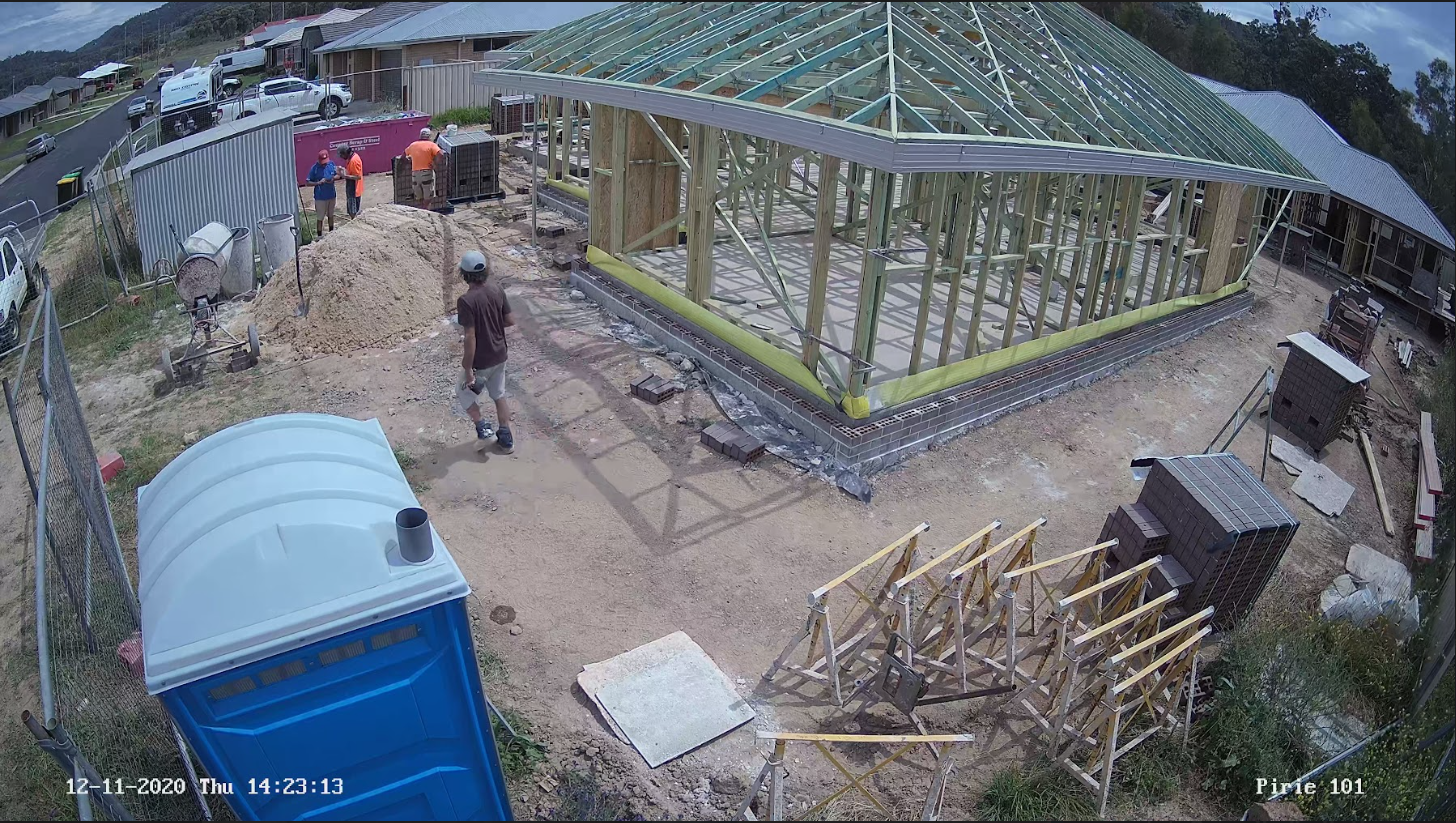
Before you sign off on a layout, stand where each camera will mount and ask: what does this one need to prove? Movement, a vehicle type, or a face and a plate? If it's the last one, it needs to be close.
The same police service advises builders to decide up front whether footage needs to identify people or only detect activity, and to put up signs saying the site is under surveillance. Signage is common practice everywhere, but surveillance and privacy rules differ between states and territories, so check the rules where your site is.
Pick the right tower for each zone
Single Cam, Twin Cam, Pan & Zoom 360° or a custom mix. Compare the four Siteguard towers side by side.
See the tower rangeTight inner-city sites often need fewer positions than you'd think: short boundaries, usually one gate, and the building becomes the barrier. As floors go up, a ground-level camera loses sight of the upper decks, so plan to reposition.
Large open sites are the opposite. Long boundaries and spread-out compounds need more positions, and this is where a PTZ earns its place. One remote-controlled camera with long-range zoom can sweep a yard that would otherwise take two or three fixed cameras.
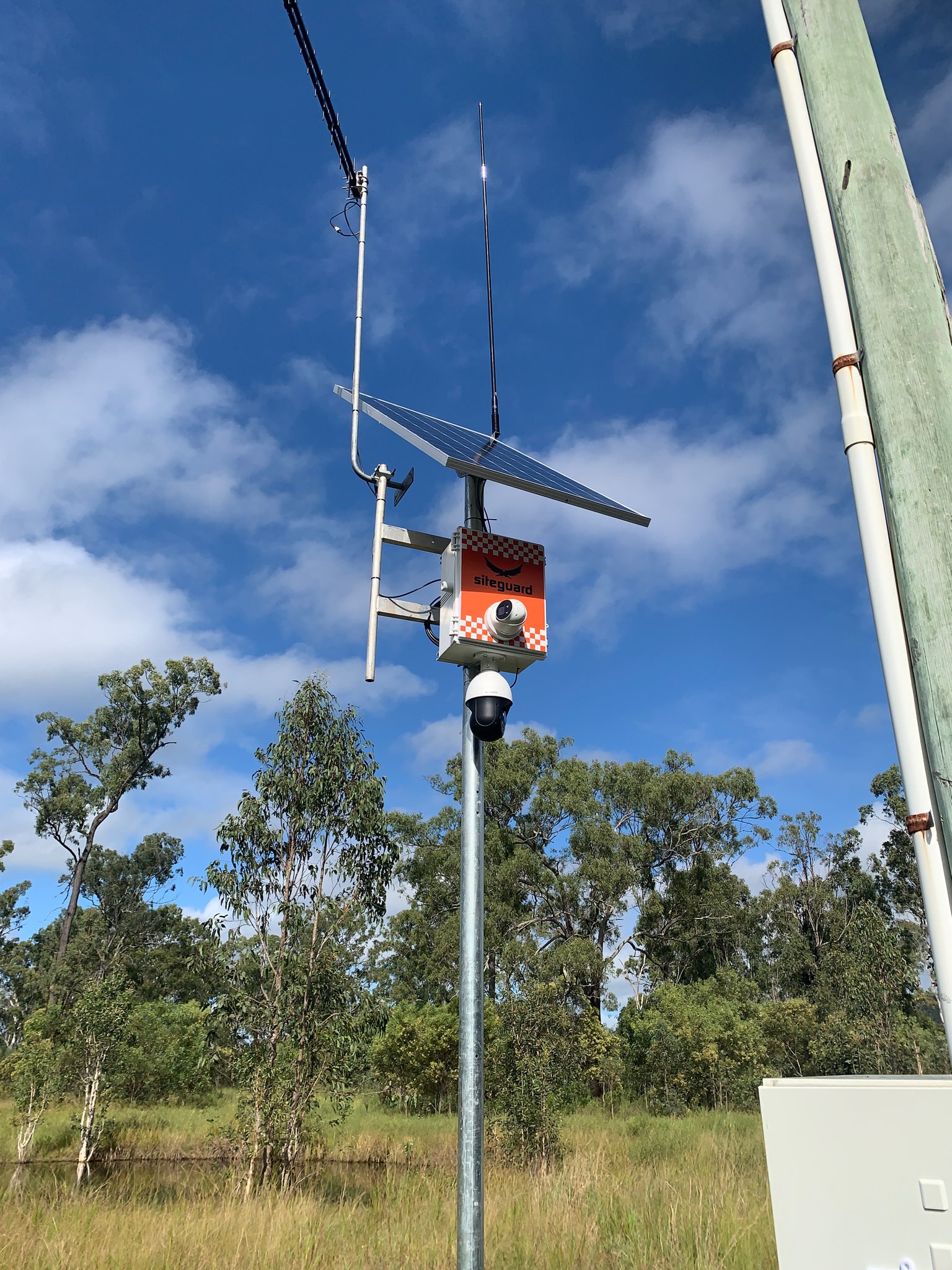
Sites that change every week need cameras that can move. Early works, a slab pour, then frames going up: the risk zones shift with the program. Solar CCTV towers run without mains power or trenching, so you can shift them as the site changes. If you're weighing a fixed tower against something you can tow, read CCTV tower vs trailer before you book.
"Last Christmas we had 21 break-ins into our construction site. We installed a Siteguard system on site and this Christmas we only had 1 attempted break-in. It has even saved us the cost of paying for security guards." Kevin, Senior PM, Hines Constructions Pty Ltd
If you'd rather not run the numbers yourself, site security camera hire through Siteguard starts with a look at your layout, then a setup recommendation for your site, industry and budget.
A single dwelling or small renovation with one gate can often be covered by one twin-camera tower, as long as the gate, materials and container are all in view from one spot. If storage sits away from the gate, add a second position.
Start with every vehicle gate, the laydown area, sheds and containers, the site office and wherever plant and fuel are parked overnight. Then add positions for weak spots along the fence line, such as boundaries next to vacant land or bush.
Cameras on gates should, because a plate is often the only detail that helps police and insurers after a theft. Number plate recognition cameras read and log every vehicle in and out, day or night, and make the record searchable by plate, date or time.
Signs saying the site is under camera surveillance are common practice and act as a deterrent on their own. Surveillance and privacy rules vary between states and territories, so check the requirements for the state your site is in.