
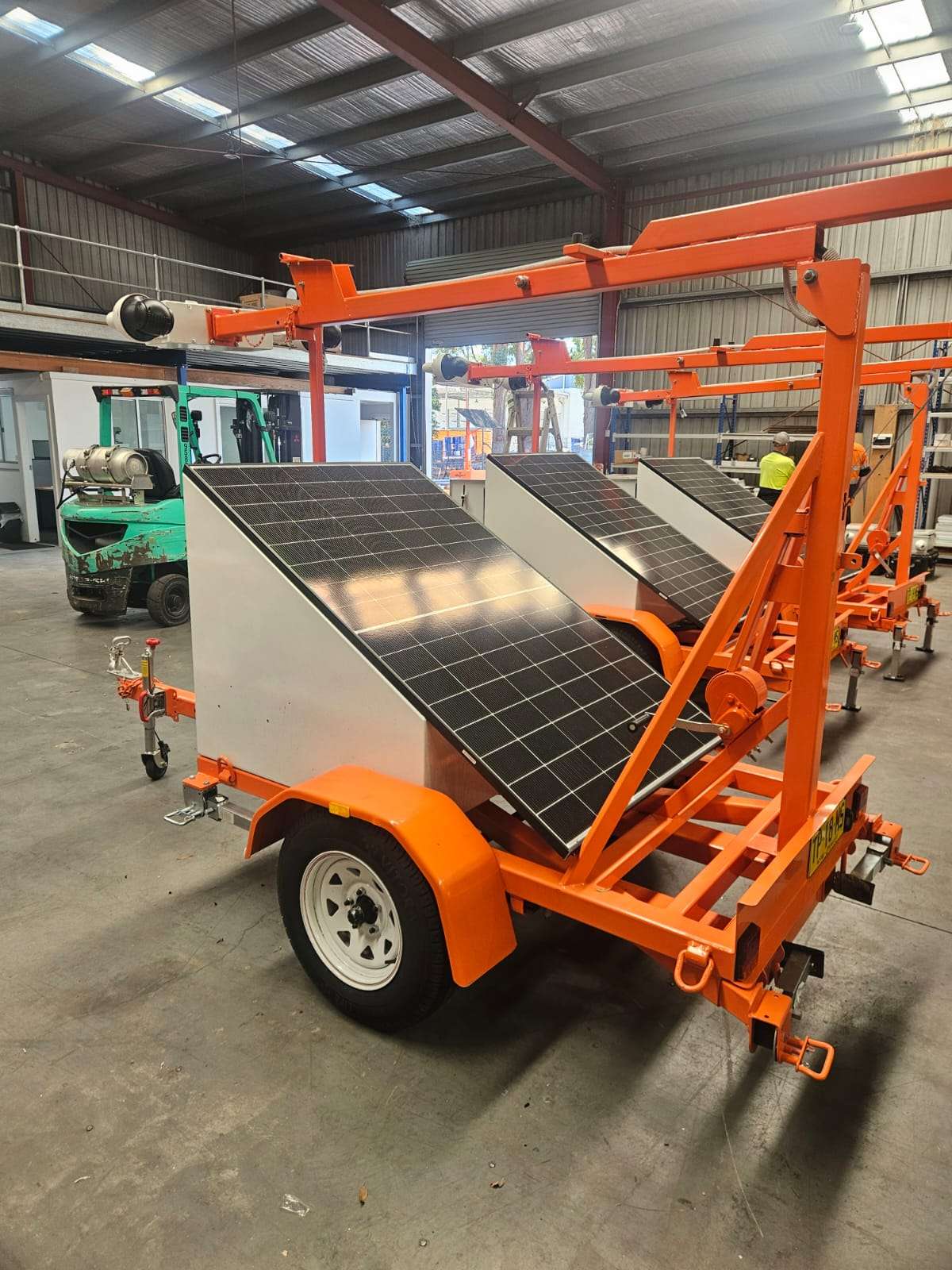
You've got a remote compound, a camera quote and a phone showing no bars at the gate. A security camera with no mobile coverage will still record, but it can't tell anyone what it's seeing. On a civil corridor or a mine lease, that gap is the difference between stopping a theft and finding out about it on Monday.
Here's how to test the signal properly, why boosters rarely fix the problem, and when to pay for satellite or settle for recording on board.
A security camera with no mobile coverage still records on board, but it can't send live view or alerts. A satellite link such as Starlink fixes that. Test the signal where the camera will stand first, because a booster can't create signal that isn't there, boosters are illegal in Australia, and repeaters need your carrier's approval.
Start with the carrier maps, then go and stand on the spot. Under ACMA's coverage map rules, Telstra, Optus and TPG had to publish 4G and 5G maps by 30 June 2026 using the same four coverage levels: good, moderate, basic and no coverage.
Treat a map as a shortlist, though. The maps are predictive modelling, not measured results, and they show likely outdoor coverage at ground level. "Basic" still means occasional disruptions, which is fine for a text and poor for a live video feed.
So run a field test before anyone quotes:
Mostly no, and some are illegal. ACMA says it's illegal to own, use or supply a mobile phone booster in Australia. A repeater is a separate device, but it needs your carrier's approval, and only a limited range is authorised. Online bargains may not be legitimate, so check with the carrier first.
The bigger problem is simpler. A repeater strengthens a signal that already exists. Telstra's terms for its approved repeater warn that outside the coverage area, service can fail for lack of signal.
An approved repeater or a passive external antenna mounted high can help at the edge of coverage, where the signal is weak but steady. Rerun the field test with it fitted before you commit, and count any repeater as another load on a solar battery. In a true dead spot, there's nothing to work with.
Securing a road, rail or pipeline job?
See how Siteguard covers infrastructure projects where power and people on site are thin on the ground.
Siteguard for civilWhen the field test fails at the positions that matter. The Siteguard Starlink Tower combines surveillance with satellite connectivity for remote locations without 3G or 4G coverage. Starlink Connectivity supports live video streaming, remote camera access and real-time alerts, and it's fully integrated with all Siteguard camera systems and the Siteguard Foreman dashboard. Our team handles the full setup.
Two checks come first. Starlink needs a clear view of the sky to stay connected as satellites move overhead, so look up before you pick a position. It also costs power: Starlink's Standard kit specification sheet lists an average draw of 75 to 100 W. Your solar security cameras need solar and battery sized for the dish, not a small panel with a dish bolted on.
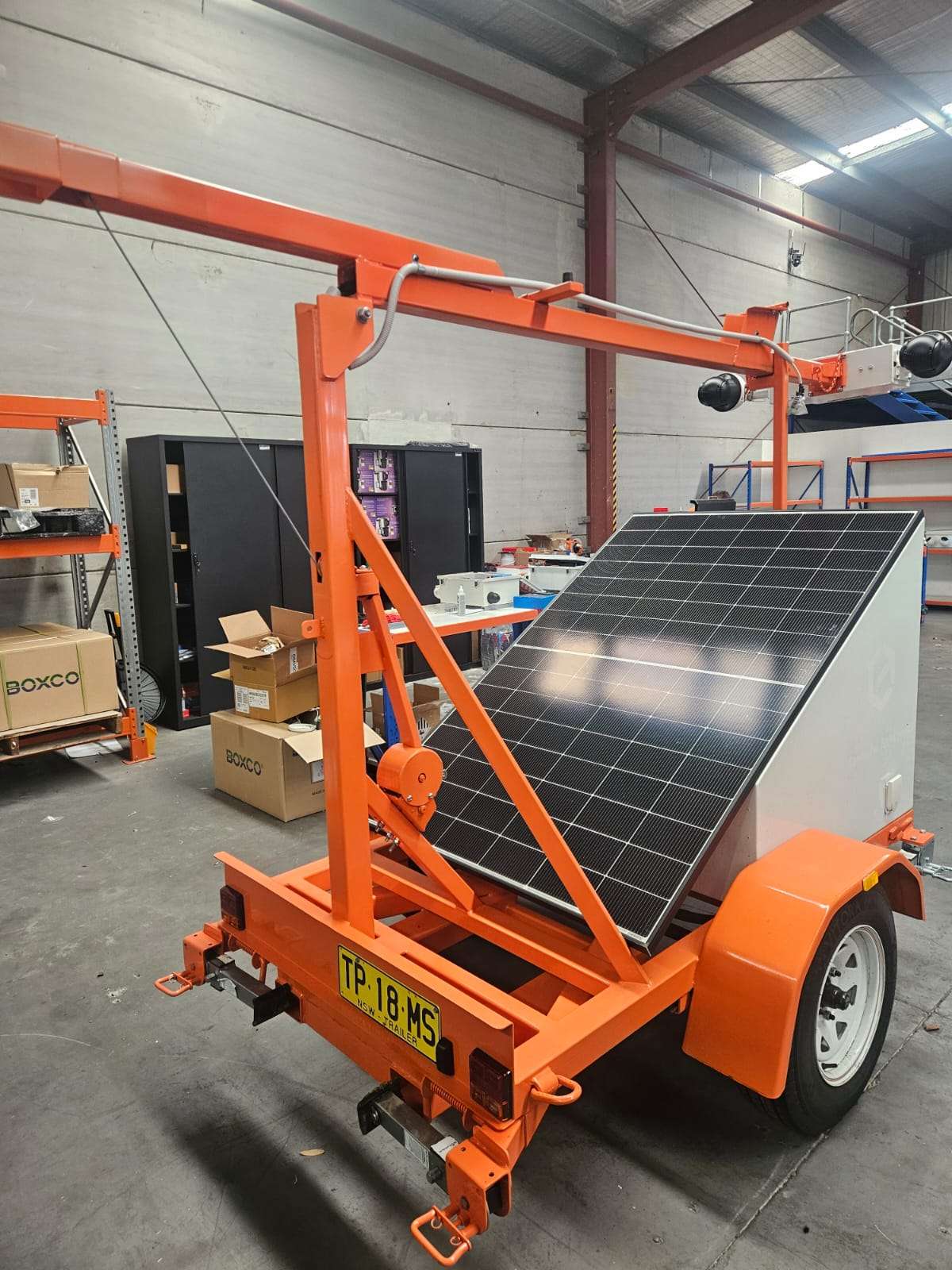
If mobile coverage is there but shaky, our guide to 4G or Starlink for site cameras covers that decision. The same setup suits remote mining sites, where power, internet and people on site are all limited.
Let the field test pick the connection, then match it to the risk.
| Signal at the camera | Best setup | Trade-off |
|---|---|---|
| Strong and steady | 4G camera or tower | Signal can drop as the site changes |
| Weak but steady | Approved repeater or external antenna, then retest | Carrier approval, extra power, still at the edge |
| None, valuable assets | Starlink tower or trailer | Higher power draw, needs clear sky |
| None, low risk | Record on board only | No alerts, no intervention |
No power. No signal. No problem.
The Siteguard Starlink Tower pairs surveillance with satellite connectivity for sites without 3G or 4G coverage.
See the Starlink TowerOn-board recording gives you evidence. Siteguard's Single Cam lists 24/7 recording and 30-day storage, and footage records to the unit, so a dropout doesn't stop it. Without a link, though, nobody hears about an intrusion until someone checks the footage, often days later. If the unit itself gets damaged or taken, footage held only on board can go with it.
Live alerts give you a chance to act. With Control Room Monitoring, Siteguard's Australian-based operators verify every alarm, then issue audio warnings, activate the siren or escalate to the relevant authorities. None of that can happen on a camera the control room can't reach.
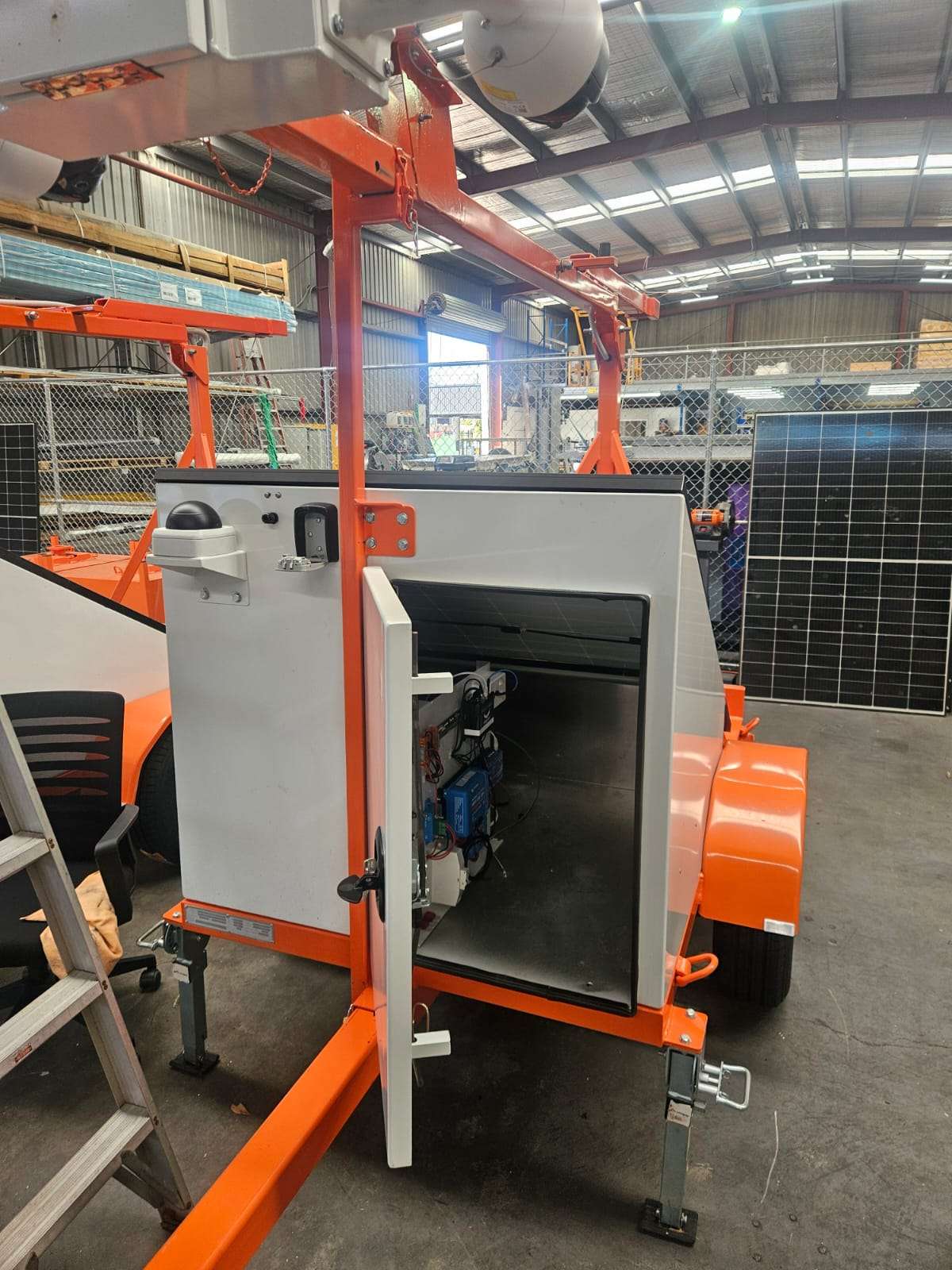
So the choice comes down to what's on site. Fuel, cable and plant justify a live connection. A low-value area you can check every week may not. Most jobs want both: live alerts for response and local storage as the backstop when the link drops. Our guide to remote site security covers how the pieces fit together.
Yes, it can still record to storage on the unit. It can't send live view or alerts unless it has another connection, such as a Starlink satellite link.
No. ACMA says it's illegal to own, use or supply a mobile phone booster in Australia. Repeaters are a separate category and need your carrier's approval, so check with the carrier before you buy.
No. A Starlink-connected camera sends video and alerts by satellite, so it doesn't rely on 4G. It does need a clear view of the sky and enough solar and battery capacity to run the dish.
Yes. Siteguard's solar camera towers are available to hire or purchase, and solar CCTV trailers can take Starlink connectivity as an option. Call 1300 479 000 to work out which unit suits your site.