.svg)
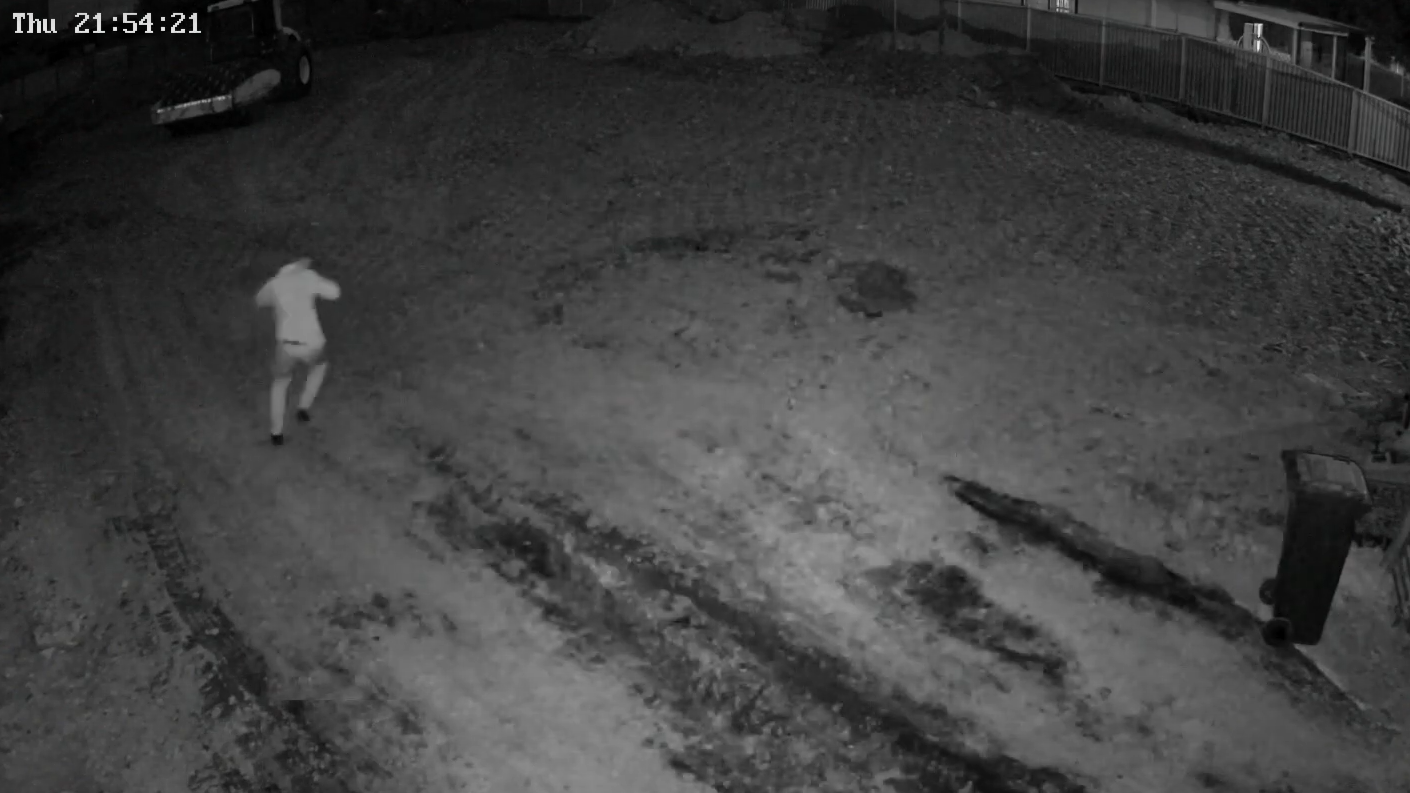
Most cameras on a building site record everything and alert on nothing useful. An intrusion detection camera on a construction site works the other way round. You tell it which parts of the site nobody should be in after hours, and it raises an alarm only when a person or vehicle walks into one of them.
The setup decides whether it works. This guide covers how intrusion detection zones get drawn, how armed hours are set, and what makes an operator step in.
An intrusion detection camera on a construction site raises an alarm when a person or vehicle enters an area you've armed, such as a plant compound or laydown yard, during set after-hours times. On a monitored site, an operator checks the footage first, then issues audio warnings, sets off the siren and escalates to police if the person shouldn't be there.
Intrusion detection is a video analytics rule. You draw an area on the camera's view, around the tool container or the fuel store, and the camera treats it as off limits during the hours you set.
The rule watches for people and vehicles, not movement in general. Siteguard's units use person and vehicle detection rather than plain motion, so shade cloth flapping on the fence, rain or a kangaroo on the haul road doesn't count as a break-in. How the analytics tell a person from a shadow is covered in how AI detection works on a CCTV tower.
A tripwire fires when someone crosses a line in a set direction. A zone fires when someone is inside an area. Most sites need both.
| Part of the site | Best rule | Why |
|---|---|---|
| Back and side fences | Tripwire, inbound only | Ignores the footpath and road, flags anyone coming over |
| Main gate | Tripwire across the driveway | Catches entry in the direction you choose |
| Plant compound, containers, fuel | Intrusion zone | Nobody belongs there after hours, from any side |
| Open ground or a slab with no fence line | Intrusion zone | A single line is easy to walk around |
Lines on the boundary give early warning. Zones around the assets confirm intent, because someone standing at the container at midnight isn't lost. For where to draw the boundary lines, see our guide to line crossing detection.
Pick the tower before you draw the zone
Single Cam for one gate, Twin Cam for a long boundary, Pan & Zoom 360° Cam for open ground. See what each tower covers.
See the tower rangeStart with a site plan, not the camera. Mark what's worth stealing overnight, then pick the areas nobody has a reason to enter after knock-off. Those become your armed zones.
.webp)
Construction sites change every week, so zones go stale. When the temporary fencing shifts or the laydown moves, redraw the zone the same day. Siteguard's recommended construction site setup pairs Twin Cam towers with control room monitoring for exactly this kind of moving target.
A zone is only as good as its armed hours. Arm the plant compound at 5pm when trades work until 6:30 and the control room spends the evening watching your own crew. Arm it at 9pm and the quiet early evening goes uncovered.
Set the schedule from what the site actually does:
Tell the control room about every expected after-hours visitor, such as a contractor doing a lock-up check. An operator who knows a truck is due won't treat it as a break-in.
Schedules sit in Siteguard Foreman alongside live view, camera controls and alerts, so an arming time can be pushed back when a pour runs late. Different zones can also run different hours, such as the fuel store arming earlier than the site office.
An armed zone needs someone to answer it
Siteguard's Australian-based control room verifies every alarm, warns intruders off and escalates when required, weekends and public holidays included.
How monitoring worksAn operator response starts with one thing: a person or vehicle detected inside an armed zone, or over an armed line, during armed hours. Miss any of the three and nothing reaches the control room.
From there, 24/7 control room monitoring follows a set order:
| Stage | What happens |
|---|---|
| Event | The zone fires and the clip goes to the control room |
| Verification | An operator checks the live view and the trigger clip before any action |
| Deterrence | If the person shouldn't be there, audio warnings and the siren go off straight away |
| Alert | The site contact gets a text describing the event, with a screenshot |
| Escalation | If they stay, the operator escalates to the relevant authorities |

Verification makes the rest work. A worker back for their phone gets left alone. Someone at the container with a grinder hears a voice telling them they're on camera. When a live voice beats a siren is covered in two-way audio on security camera towers, and the full chain to a police call is in what happens when monitored cameras detect an intruder.
A zone is only as good as the image behind it. Siteguard's solar camera towers come in configurations that suit different parts of a site:
Dark corners need more than a standard lens. Siteguard's Ghost Cams use low-light and thermal imaging to capture clear footage in near-total darkness, which suits an unlit plant yard. Solar power means zones can be armed before mains power is connected.
It's a camera that raises an alarm when a person or vehicle enters an area you've armed, such as a plant compound or laydown yard, during set hours. It ignores movement outside that area, so it throws far fewer false alarms than plain motion detection.
Line crossing fires when someone crosses a virtual line in a set direction, so it suits fences and gates. Intrusion detection fires when someone is inside an area, so it suits compounds, containers and open ground that can be reached from more than one side. Most sites use both.
From the site's real knock-off to the real start, plus weekends and public holidays. Arm it a little after the last trade usually leaves, and adjust it for overtime, night works, early pours and the Christmas shutdown.
A person or vehicle detected in an armed zone during armed hours. A Siteguard operator checks the live view and the clip first, then issues audio warnings and sets off the siren if the person shouldn't be there, and escalates to the relevant authorities when required.
Yes. Siteguard's solar camera towers run off-grid, the Pan & Zoom 360° Cam is built for low light, and Ghost Cams use low-light and thermal imaging in near-total darkness. Where 3G and 4G don't reach, Starlink connectivity carries live view and real-time alerts.