

The invoice says eight hours. The site diary says "sparkies on site". Nobody in the office can tell you whether they rolled in at 7am or 10:30, and the plasterers who lost the morning have their own version.
The subcontractor attendance tracking construction site managers can defend comes down to a timestamped record made as it happened. Here's how to build one, and how to use it on hours, delays and back-charges without starting a war with your trades.
The subcontractor attendance tracking construction site teams can rely on pairs the sign-in register with timestamped camera records from the gate and work area. Cameras show when people and vehicles came and went, and number plate recognition ties vehicles to a company. Check those times before you approve hours, claim a delay or raise a back-charge.
A sign-in register tells you who says they were here. It's filled in by the person being paid, often after the fact, and the sign-out line is the first thing forgotten.
The site diary has the opposite problem. A tired supervisor writes "electrician on site" at 5pm, not "two electricians, 9:40am to 1:15pm". Six weeks later, in a delay claim, that entry has no times to offer.
Four steps give you a gate record worth checking.
Running trades across a busy build?
See how Siteguard sets up cameras, monitoring and reporting for construction sites.
Siteguard for constructionA camera gives you a time and a picture. That's strong evidence of what happened, and it stops there. Know the limits before the other side points them out.
| Question | The camera shows | You still need |
|---|---|---|
| When did they arrive and leave? | The time a person or vehicle crossed the gate | Register or plate list to name the company |
| How many were on site? | Who's in frame at that moment | Headcount for anyone out of view |
| Was the work happening? | Activity in the work area, in images | Inspection of quality and quantity |
| Why did it stop? | When work stopped and restarted | The cause, and any instruction given |
On a lump-sum package, hours don't change the invoice, so don't chase them. On day-work dockets they do. If the docket says eight hours and the ute came in at 9:40 and left at 3:10, you've got a conversation backed by a timestamped image.
When a late trade holds up the next one, the record shows when the area was ready and when the crew arrived. It won't rescue a missed notice, though. In a 2015 WA case, a court accepted that a subcontractor had been delayed and still refused its extension of time claim, because it hadn't followed the subcontract's notice clauses.
"Previously, every wet weather claim got picked apart by the superintendent. Now we use Siteguard Foreman to find the exact times the work stopped and started again." Geoff, Project Engineer
Your subcontract decides whether a back-charge is allowed, so start there. Then attach the date, the time, the image and the programme impact. Timing matters too. NSW guidance says a payment schedule must state why you're paying less than claimed and is only valid within set periods, by default 10 business days after the claim unless your contract sets a shorter deadline. Other states differ.
Show the trade the clip first. The record cuts both ways: if the sparkies were on site at 6:55 and the slab wasn't ready, it backs them, not you. Fair records get accepted. One-sided ones get disputed.
Find the exact time, then check the docket
Siteguard Foreman puts live view, playback, event reports and Ask Foreman in one dashboard across your sites.
See Siteguard ForemanSiteguard Foreman brings every camera, alert and event across your sites into one dashboard. Playback lets you review past recordings without downloading files, and you can pull clips and event reports by date and category.
With Ask Foreman, you get a timestamped report of vehicle and people movements, with images and summaries. So "when did the sparkies turn up?" becomes a search, and you match what comes back to your plate list or register.
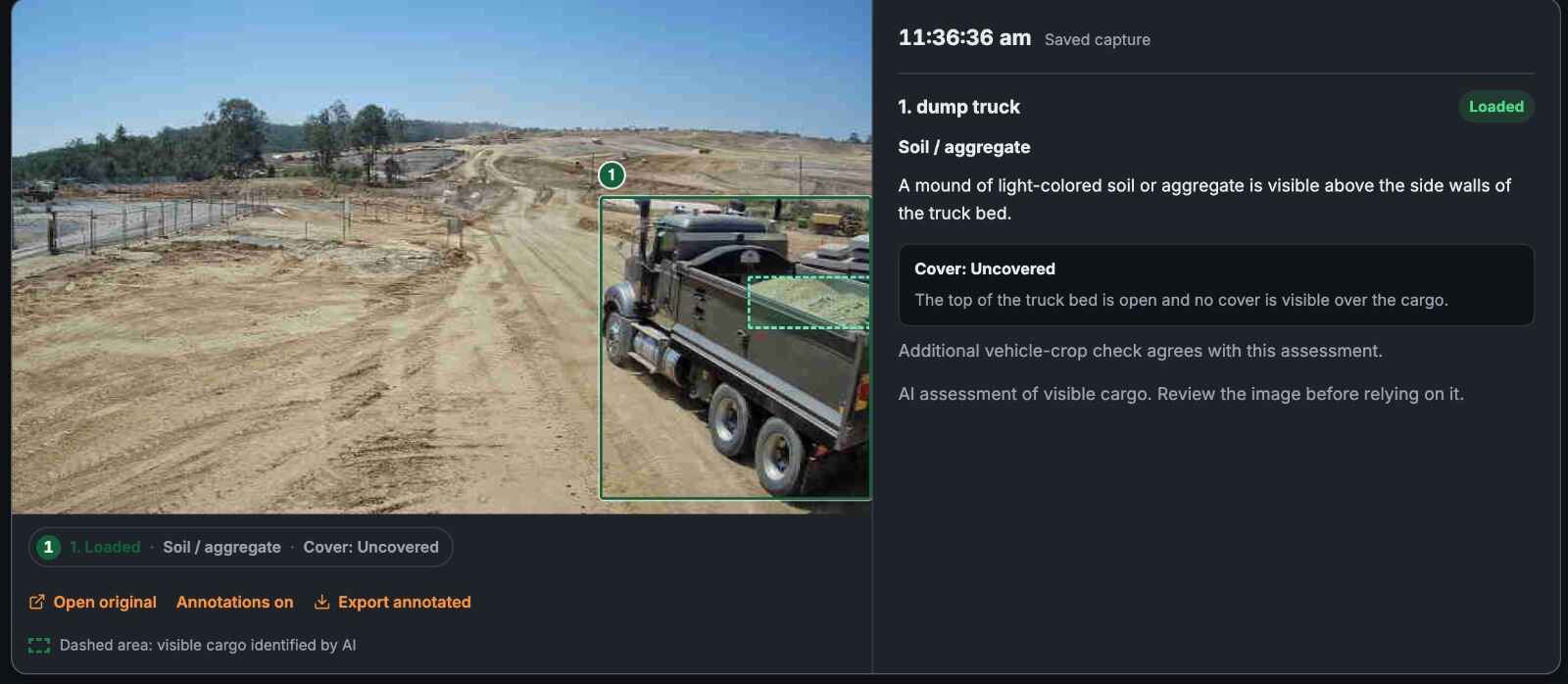
The same times feed your AI site diary and the wider push to automate construction reporting. The gate record also helps with proving what arrived on site. Siteguard's Single Cam lists 30-day storage, so download anything that might matter and file it with the job.
Say it at induction: what's recorded, why, and who sees it. People accept cameras they've been told about.
Surveillance rules differ between states and territories. In NSW, for example, employers must give employees 14 days' written notice, keep cameras clearly visible and put signs at each entrance. Audio is treated more strictly than video in several states. Check the rules for your state, including how they apply to subcontractors' crews. This isn't legal advice.
Keep your sign-in register and add a camera on the gate, then a view of the work area. The camera records when people and vehicles arrive and leave. Number plate recognition links utes and vans to a company. Check the two records against each other every week.
No. Inductions and your sign-in register stay. A gate camera sits beside them and gives you timestamped images to test what people wrote down.
It can support the facts: when a trade arrived, when work stopped and what the area looked like. Whether you can back-charge at all depends on your subcontract, so follow its notice steps and get advice before withholding payment.
Rules differ between states and territories, and audio is treated more strictly than video in several of them. Visible cameras, signage at the gate and telling trades at induction are common practice. Check the rules for your state before you switch on.
Want a gate record you can check?
Tell us about your site and we'll talk through where cameras would work best.
Enquire Now Or call 1300 479 000