.svg)
Most construction daily report software does one job well: it gives the site diary a proper form. That's a real step up from a carbon-copy book on the dash of the ute. But a form is only as good as the person filling it in, and it holds whatever they remembered.
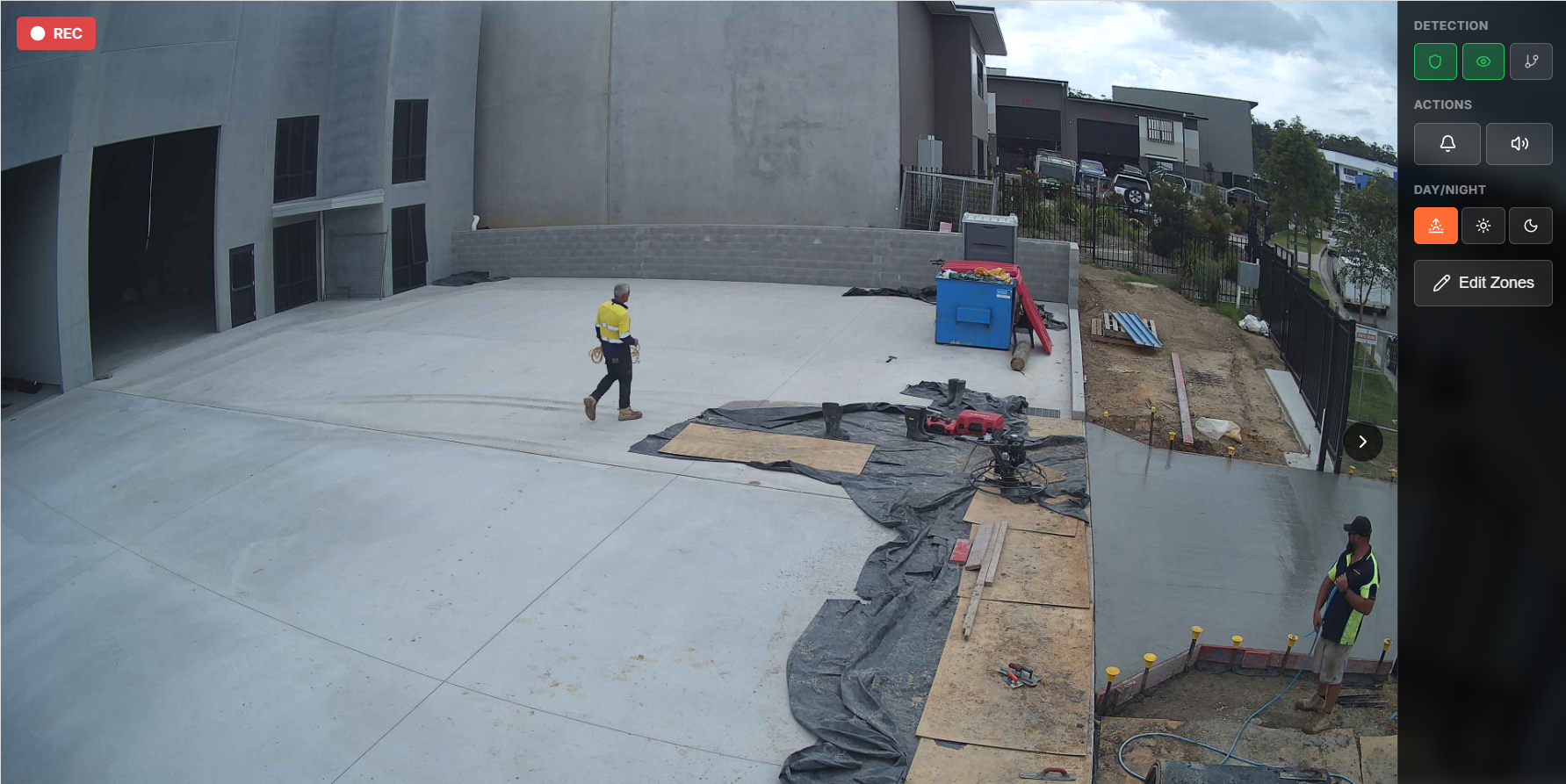
Camera-generated reports start from the other end. Cameras on the gate and the work face log what happened as it happened, and software turns the footage into timestamped events. Here's what each approach records, where each falls down, and which suits your site.
Construction daily report software gives your site diary a structured digital form, but someone still has to type in what happened. Camera-generated reports are built from what site cameras actually recorded, so arrivals, deliveries, progress and after-hours events are timestamped automatically. Most sites get the strongest record by using camera reports for the facts and the supervisor's entries for the judgement.
Most site diary software is a structured form on a phone or tablet. The supervisor picks the job, fills in weather and conditions, lists labour and plant, logs deliveries, adds notes and photos, then signs it off.
That structure is the real benefit. Every entry covers the same fields, and entries are searchable by date and filed against the right job. For a builder still on paper, a digital site diary is a clear improvement, and it's still the best place for judgement: why the pour slipped, what the engineer said, what was agreed.
The form doesn't fill itself in. A supervisor's day is inductions, deliveries and phone calls, so the daily report gets done last, sometimes batch-filled on a Friday for the whole week. The 6:15am start becomes "early". Four tipper loads become "spoil removed".
Timing matters when the record gets tested. The Society of Construction Law's Delay and Disruption Protocol says project records should be generated contemporaneously as the works progress, and that progress and resource records should set out facts, not opinions. An entry typed from memory three days later is weaker on both counts.
Then there are the hours nobody's on site. A form records what someone noticed. It can't record the ute at the gate at midnight or the after-hours damage found next morning with no time attached.
Running a build with gaps in the diary?
See the setup Siteguard recommends for construction: Twin Cam towers, Control Room Monitoring, Siteguard Foreman and Timelapse working together.
Siteguard for constructionA camera-generated report is built from footage, not memory. Cameras on the gate and the work face record around the clock. Siteguard's solar camera towers run without mains power, and the Single Cam lists 4K 8MP resolution, 24/7 recording and 30-day storage.
Software does the sorting. Siteguard Foreman generates event reports by date and category, with snapshots of key events. Siteguard AI Reporting analyses the footage and produces event summaries sorted by type, time and activity, productivity metrics that pinpoint downtime and bottlenecks, and safety and compliance insights ready for audits.
Unusual activity is flagged in real time and logged automatically, so you get an audit trail without anyone scrubbing through video. After hours, control room monitoring has a real operator verify every alarm before action is taken, so the incident in tomorrow's report is a verified event, not a possum.
The supervisor's job changes from writing to reviewing. Read the day's record, add the delay cause and the engineer's instruction, then share it. Our guide on how to automate construction site reporting with cameras walks through the camera setup step by step.
.webp)
How the two compare on what most site diaries cover.
| Item | Form-based daily report software | Camera-generated reports |
|---|---|---|
| Where the record comes from | What the supervisor types in | What the cameras recorded |
| When it's made | Whenever the form gets filled in | As events happen, timestamped |
| After-hours activity | Only what's found next morning | Logged, with alerts and footage |
| Labour and arrivals | Headcount and times as remembered | Gate activity with times; names and trades still need a person |
| Deliveries and trucks | Docket notes | Vehicles in and out, timestamped |
| Progress | Photos, if someone takes them | Daily snapshots and timelapse |
| Delay causes and instructions | Its main strength | Can't see why something happened |
| Supervisor effort | Writing from scratch | Reviewing and adding context |
| Breaks down when | The supervisor is flat out | Cameras point at the wrong areas |
Read the last two rows together. Each approach fails in a different way, which is why the strongest site record uses the camera for observation and the person for judgement.
Turn site footage into a report you can send
AI Reporting delivers event summaries, productivity metrics and compliance insights from your site cameras, with no manual review.
How AI Reporting worksThe size of the job and how often it sits empty narrow it down fast.
On remote jobs, cameras need a connection too. Starlink connectivity covers sites where 3G and 4G don't reach, and it integrates with Siteguard cameras and the Foreman dashboard.
.webp)
You don't have to rip out the diary app your team already knows. Keep the template. Let camera records handle the observation fields and leave the judgement fields to the supervisor.
Our explainer on AI site diaries shows how they fit a builder's own template.
Put these to your team and any supplier. They expose the weak spots faster than a feature list.
Surveillance and workplace surveillance rules differ between states and territories, and audio is treated more strictly than video in several of them. Gate signage and a line in the induction are common practice. Check your state's rules. This isn't legal advice.
Construction daily report software is a digital site diary: a structured form where the supervisor records weather, labour, plant, deliveries, work completed, delays and notes. It makes entries consistent and searchable, but the record still depends on what someone types in.
Not entirely. Cameras record the observation: who arrived, what came through the gate, how the work area changed and what happened after hours. A person still needs to add delay causes, instructions and decisions, so most sites use camera records to fill in and back up the diary rather than replace it.
Camera records are made as events happen and carry timestamps, which fits the Society of Construction Law's guidance that project records be contemporaneous and factual. How any record is weighed in a dispute depends on the case, so get legal advice for your situation.
Yes. Keep your current template and use camera records for arrival times, deliveries, progress snapshots and after-hours events. Siteguard Foreman includes export and sharing, so event reports can go to the PM or client alongside the diary.
Siteguard AI Reporting analyses your camera footage and delivers event summaries sorted by type, time and activity, productivity metrics that pinpoint downtime and bottlenecks, safety and compliance insights, anomaly alerts logged as an audit trail, and a final overview with recommendations.